Our care in publishing the images of this site will be vane if your monitor were not properly calibrated.
If you are not sure about its present calibration, you can do it by means of the grey scale here below. Remember that the room light influences the color rendition of your monitor, in particular if it varies with the hour of the day.
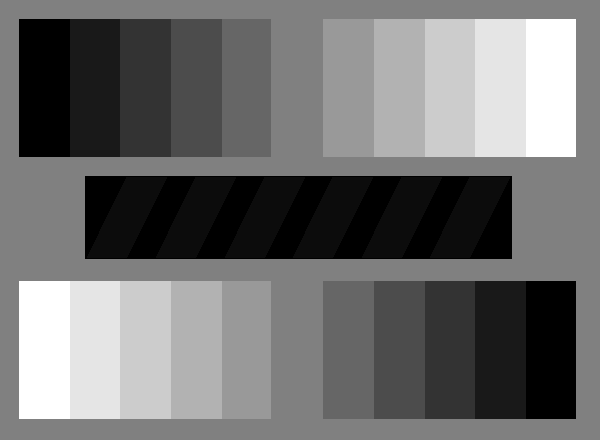
The figure has been generated by means of a computer graphic programme, and it contains eleven grey tones over a uniform background.
To properly calibrate your monitor, look at the dark bar at the centre of the figure. It contains some 5% grey diagonal lines over the black background.
Modify the brightness of the monitor until all the bar becomes black, then increase the brightness until the grey lines will be hardly visible. If you cannot see the lines at all, your monitor suffers internal problems unless you could adjust the "gamma".
NOTE: This chart is presented in the site of Greg Kozikowski (Koz). For further information and notes on the calibration see the Koz's Calibration Corner.